

In this short article, we’ll show you have to find which version of Sage 300 and which product update you have running.
Step 1:
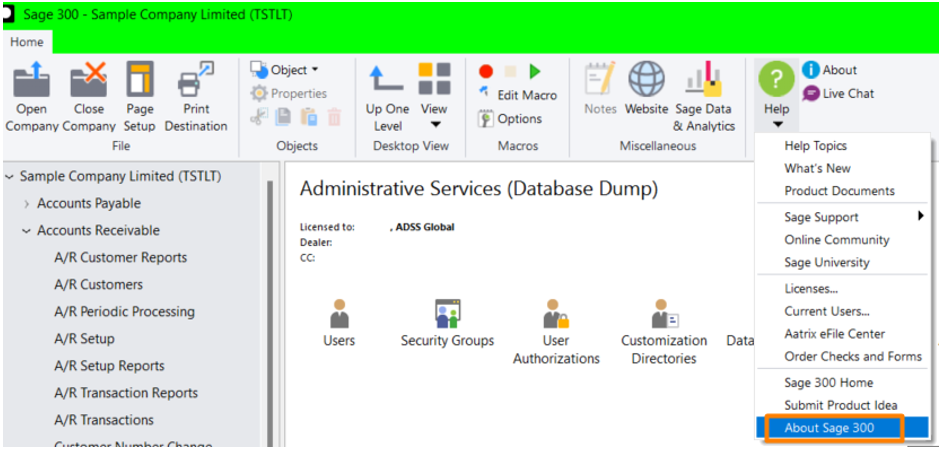
Open your Sage 300 desktop, click the Help icon in the top toolbar, then click on ‘About Sage 300’.
Step 2:
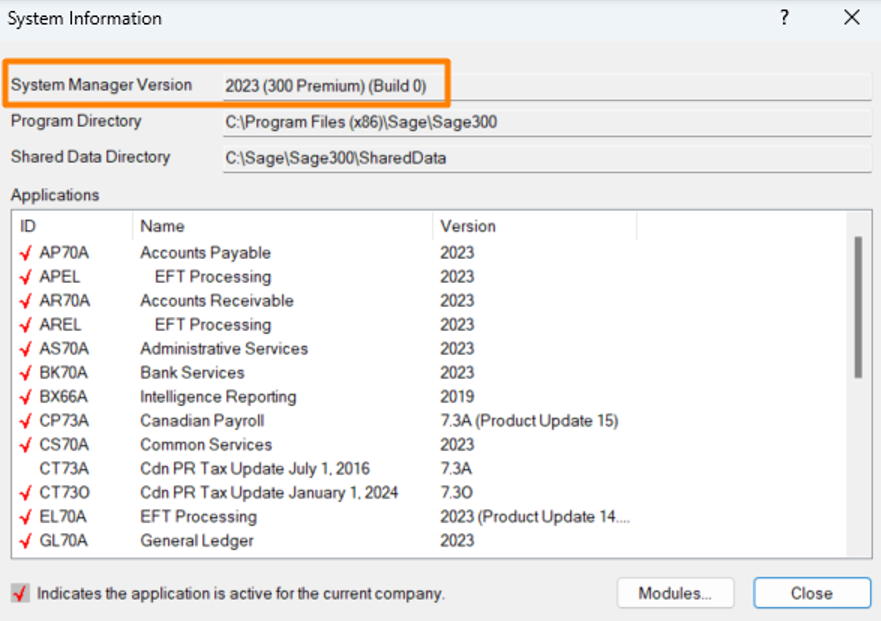
The System Information window will pop-up, take note to the “System Manager Version”, this will indicate the version and Product Update you have running on your system.
Thank you for your sharing. I am worried that I lack creative ideas. It is your article that makes me full of hope. Thank you. But, I have a question, can you help me?
Thanks for sharing. I read many of your blog posts, cool, your blog is very good.
Your point of view caught my eye and was very interesting. Thanks. I have a question for you.
Your article helped me a lot, is there any more related content? Thanks!